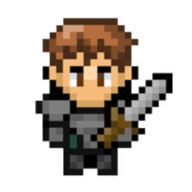
 Fantasy Online 2
Official Android version
Fantasy Online 2: a free pixel MMORPG for Android
Download this 2D pixel MMORPG from Google Play for free. Optional in-app purchases are available, but the same world, characters, and progression also follow you to web and Steam.

How to start playing
- Open the official Google Play listing and check your device's compatibility.
- Install the game and sign in to your Fantasy Online 2 account, or create an account.
- Choose a character and start with the Noob Island quests.
Choose a starting build
Try a sword and shield, bow, or wand. The official guide has three level-6 examples with accessible equipment, sellers, requirements, and links to the build planner.
Compare starter builds →One account across platforms
Sign in with the same Fantasy Online 2 account to continue with the same characters, equipment, quests, and progression on Android, the web version, and Steam.
What you can do
- Explore hand-built zones and complete quests.
- Fight monsters and bosses alone or with other players.
- Craft equipment, collect rare drops, and trade.
- Develop character builds, factions, and achievements.
Plan before you play
Use the official database to look up items, mobs, quests, recipes, and zones, or build a complete character before making choices in game.
Open the Fantasy Online 2 DatabaseOther ways to play
Fantasy Online 2 also runs in a web browser and is available as a paid Early Access game on Steam for Windows, macOS, and Linux. iOS has not been released yet.
See Steam Early Access details